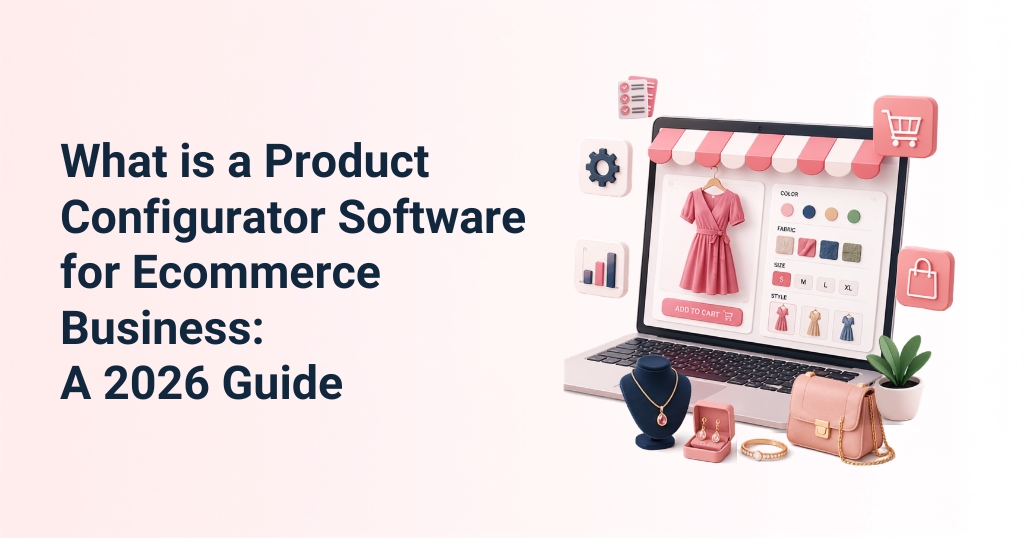
Consumer expectations in online shopping have undergone a radical shift. Standard, static product pages are no longer sufficient for modern shoppers who demand tailored goods.
Buyers expect to customize their items, whether adjusting the lapel on a bespoke suit, engraving a diamond pendant, or changing the trim color on a high-end running shoe.
For brands selling configurable products, traditional ecommerce setups fall short. They lead to massive SKU proliferation, disjointed ordering flows, and frequent manufacturing errors.
To solve these operational issues, businesses today are deploying product configurator software. This technology converts standard online stores into interactive, real-time custom creation platforms.
A robust online product builder like one facilitated by iDesigniBuy allows brands to scale personalization, eliminate order inaccuracies, and optimize conversion funnels. This comprehensive guide details the workings, ROI metrics, integration ecosystems, and strategic evaluation frameworks necessary for choosing the right online product configurator software for your enterprise.
Summary
- Product configurator solution allows shoppers to design, modify, and personalize complex or made-to-order products in real time within an ecommerce interface.
- It leverages sequential parameter selection, programmatic business rules (logic constraints), and automated dynamic pricing engines.
- Boosts conversions, slashes product returns, minimizes customer support friction, and increases average order value (AOV).
- Plugs directly into standard ecommerce platforms (Shopify, WooCommerce, Magento, BigCommerce) and downstream corporate systems like ERPs.
- Evaluation depends on checking product complexity against software capabilities, ensuring multi-currency/language localization, verifying mobile responsiveness, and establishing low total cost of ownership (TCO).

What is a Product Configurator Software?
Product configurator software is a specialized digital commerce application that lets buyers interactively build, modify, and view customizable goods directly on an ecommerce website. By replacing static images with dynamic visual modules, it guides users through selecting components, altering dimensions, swapping materials, and adding personalized text or graphics.
Instead of forcing merchants to create millions of static SKU combinations for every possible variation, the software uses a single base product model and applies dynamic attributes programmatically.
It operates at the intersection of consumer-facing visual personalization and backend inventory management, processing variations across multiple core fields such as:
- Aesthetics & Materials: Modifying base colors, surface patterns, fabric textures, or wood finishes.
- Components & Accents: Adding, removing, or swapping parts such as collars on a shirt, buckles on a belt, or diamond cuts on a ring.
- Dimensions & Sizing: Custom measurements for “made-to-measure” apparel, custom canvas lengths, or specific tile dimensions.
- Text & Graphic Personalization: Embedding custom text engravings, monograms, logos, or user-uploaded artwork using text rotation, scaling, and precise positioning tools.
Configurable Products vs. Standard Products
| Traditional Product Page | Product Configurator Software |
| Static options | Interactive customization |
| Manual pricing | Dynamic pricing |
| Limited variants | Unlimited combinations |
| Higher errors | Rule-based validation |
| No preview | Live preview |
| Manual order processing | Automated workflows |
Traditional products are sold as rigid items; what you see on the static catalog page is exactly what is shipped. Configurable products, conversely, are built dynamically using modular pieces.
Standard ecommerce product detail pages (PDPs) rely on flat dropdown menus. These menus break down when a product has deep dependencies, like an apparel item with unique sleeve, pocket, and placket combinations.
A dedicated product customization tool manages these complex options. It transforms the buyer from a passive observer into an active designer, giving them immediate feedback on every selection they make.
How Does A Product Configurator Software Work?
Product configurator software converts complex manufacturing options into an intuitive, step-by-step user interface. By linking front-end visual changes supplied by the user with back-end business logic, the software ensures that what the user designs matches what is produced.
Step 1: Customer Selects a Base Product
A customer lands on a customizable product page and initiates the online design tool, which may be an apparel design software. The product configurator software loads a base digital model of the item, such as a blank t-shirt, an unadorned ring profile, or a basic dress shirt template. This serves as the foundational layer to which all subsequent visual options, textures, and components are dynamically applied.
Step 2: Available Customization Options Appear
Once initialized, the interface presents the user with a structured menu of choices. This menu contains all authorized parameters for modification, including colors, sizes, materials, raw quantities, add-ons, and dimensions.
For example, when using a shoe customization software, one of the types of product configurator software, the interface isolates parts like the upper, side upper, back strip, lining, and laces. This structure allows users to choose specific fabrics or apply colors to individual parts of the item.
Step 3: Configuration Rules Prevent Invalid Combinations
The product configurator software uses backend validation rules to eliminate ordering mistakes. It enforces dependency and compatibility guidelines in real time to prevent shoppers from creating configurations that cannot be manufactured.
- Dependency Rules: Selecting Option A automatically requires or unlocks Option B. For example, selecting a specific deep cuff style on a shirt might automatically lock the sleeve selection to long sleeves.
- Compatibility Rules: Selecting a specific heavy fabric might gray out or disable a delicate pleated tuxedo placket style because the material is too thick to hold the pleats.
- Required Selections: The system blocks checkout progression until all mandatory design fields (such as choosing a base ring size or a belt style) are successfully completed.
Step 4: Price Updates Automatically
As users toggle options, a dynamic pricing engine calculates and displays the cost changes in real time. This automated pricing structure factors in several variables simultaneously:
- Material and Volume Pricing: Upgrading to precious metals, or choosing thick premium leathers, adds specific cost values based on material consumption.
- Premium Feature Additions: Incorporating diamond accents on jewelry, adding intricate elbow patches to shirts, or configuring multi-layered custom tiles increases the price incrementally.
- Inventory Integration: The pricing engine communicates directly with the warehouse system to confirm component availability. If a specific component is out of stock, the system can either disable the option or apply an extended lead-time pricing warning.
- Dynamic Image Output: The visual rendering engine updates alongside the price, showing immediate front, back, and folded views so the buyer can see the financial and visual impact of their choices.
Step 5: Customer Reviews the Final Configuration and Places the Order
Before checkout, the software generates a high-resolution, multi-angle final preview. When the order is placed, the configurator translates the design into clean, structured data for the merchant. Instead of a vague text description, it produces exact component lists, dimensions, text inputs, and print-ready files (such as high-resolution vectors or manufacturing bills of materials). This automated handoff sends accurate design data straight to production.
Why Ecommerce Businesses Need Product Configurator Software?
B2B and B2C ecommerce businesses encounter significant operational hurdles when selling complex products online. Without automation, managing customizable lines leads to customer confusion, extended sales cycles, and expensive customer support workloads.
Implementing an automated configuration engine resolves these systemic pipeline issues, delivering measurable improvements across key business performance metrics:
Deliver Personalized Shopping Experiences
A tailored configuration portal transfers creative control to the consumer, making them feel personally connected to the product they designed. This hands-on experience turns a standard transaction into an engaging activity, boosting brand retention and keeping shoppers on your site longer.
Reduce Ordering Mistakes
In manual option selection through generic text forms, if a customer writes down a combination that doesn’t work, the order must be manually put on hold for customer support verification. A rules-based configurator filters out invalid configurations before checkout, ensuring that every order submitted is ready for production.
Speed Up Purchasing Decisions
When buyers cannot see what an option looks like, they hesitate, which leads to high cart abandonment rates. Providing immediate visual responses across multiple camera angles eliminates that hesitation. Shoppers can inspect a shirt’s pleat alignment, view a customised stamp border, or review a 360-degree jewelry model, giving them the confidence to complete their purchase quickly.
Improve Conversion Rates
By replacing guesswork with clear, interactive visuals, product configurators convert casual browsers into verified buyers.
Increase Average Order Value
Shoppers are willing to pay a premium for personalized products. A dynamic configuration environment lets you monetize individual choices by up-charging for premium additions, like rare wood finishes, specialized hardware, or intricate monograms. Because the price updates incrementally as options are selected, buyers focus on the value of the feature rather than the overall cost, which increases average order value (AOV).
Reduce Customer Support Workload
When configuration rules are built into the front-end software, your support team spends far less time answering clarifying emails or fixing order typos. Questions about fabric colors, part compatibility, or dimensions are answered visually on the screen. This self-service setup frees up your support staff to handle high-value accounts.
Improve Operational Efficiency
A major benefit of product configurator software is the direct bridge it builds between the web storefront and the factory floor. Upon order placement, the system automatically outputs accurate data sheets, print-ready files, or detailed bills of materials (BOM), cutting manual data entry, administrative delays, and accelerating order fulfilment timeline.
To learn more about the benefits of product configurator software for ecommerce business in depth, we have published a detailed guide for you.
Which Ecommerce Businesses Benefit Most from Product Configurator Software?
Any business that sells products with multiple variations, dimensions, or custom styles can benefit from product configuration platform tools. The table below outlines how different industries utilize these modules to manage their product offerings:
| Industry | Example Configurable Products | Common Customization Options |
| Apparel & Bespoke Tailoring | Custom dress shirts, luxury suits, made-to-measure trousers, custom hoodies. | Collar styles, cuff designs, accent threads, fabric textures, pleats, monograms, custom measurements. |
| Footwear Manufacturers | Performance running shoes, custom boots, luxury leather shoes. | Upper and side fabric materials, back strip variations, custom lining, eyelet placements, specialized sole pads. |
| Fine Jewelry Brands | Custom engagement rings, personalized pendants, wedding bands, bracelets. | Metal profiles (platinum, gold), diamond cut/carat selection, settings, custom surface text engraving. |
| Promotional & Web-to-Print | Branded mugs, custom caps, business cards, corporate banners, tech skins. | Clipart overlays, image uploads, text rotation/scaling, font choices, background colors, grid alignments. |
| Home & Commercial Renovation | Custom structural tiles, mosaic sheets, localized flooring patterns. | Tile material types, base colors, layered print patterns, custom dimensions, grid layouts, 3D trial room visualization. |
What Features Should You Look for in a 3D Product Configurator Software?
When looking for a enterprise-grade product configurator software, focus on features that improve the user experience while automating your backend operations.
Visual Product Configuration
The software’s user interface should be an interactive workspace that must be clean and easy to navigate, allowing even non-technical users to select options, drag design elements, and customize products without confusion.
Dynamic Pricing Engine
The pricing engine should be capable of calculating costs based on complex logic. It should handle real-time updates for component additions, material upgrades, volume discounts, and localized currencies across multiple store profiles simultaneously.
Rules-Based Configuration
Your software must include a built-in rules manager that handles complex product dependencies. This system acts as an automated quality check, making it impossible for a customer to choose incompatible parts or submit an order that cannot be built.
Real-Time 2D/3D Product Previews
The rendering engine must provide instant feedback as users make changes. It should offer high-fidelity 2D or 3D product configurator previews from multiple angles, including front, back, diagonal, and close-up views, allowing shoppers to inspect fine details like textures and engravings before checking out.
Inventory Integration
The platform should connect directly with your inventory management systems. This ensures that component choices automatically reflect real-world stock levels, preventing customers from ordering items made with out-of-stock materials.
Ecommerce Platform Integration
A quality configurator should plug directly into your existing storefront architecture. It must provide pre-built integrations or robust API connections for major enterprise ecommerce platforms:
- Shopify: Frictionless installation that ties directly into the Shopify cart and checkout flow.
- WooCommerce: Flexible open-source integration built to handle custom databases and product options.
- Magento (Adobe Commerce): Enterprise-grade architecture designed for large catalogs and high order volumes.
- BigCommerce: Scalable, API-driven connectivity built for headless and hybrid commerce setups.
Multi-Language and Multi-Currency Support
To support international expansion, the software must handle language localization and currency conversions automatically. It should update currencies, text labels, and measurement systems based on the shopper’s location.
Mobile Responsiveness
A significant portion of online transactions happen on mobile devices. The configuration workspace must use a responsive layout that scales down smoothly to smartphones and tablets, keeping touch points and editing tools simple to use on smaller screens.
Analytics and Reporting
The backend dashboard should track useful consumer behavior metrics. Monitoring popular component choices, dropped designs, and option trends gives you the insights needed to optimize your inventory levels and product offerings.
Traditional Product Pages & Product Configurator Software: A Comparison
| Feature Criteria | Traditional Ecommerce Product Pages | Advanced Product Configurator Software | Business Impact & Operational Advantages |
| Visual Presentation | Static flat images representing a single, pre-made stock variant. | Dynamic, interactive multi-angle 2D or 3D product previews updated in real time. | Eliminates buyer hesitation by showing exactly how changes look instantly. |
| Option Limit Management | Dropdowns break down or cause SKU confusion when managing multiple variables. | Rules-based parameter filters that handle unlimited attribute combinations. | Allows you to offer vast product catalogs without overloading your system. |
| Order Data Verification | Customers type requirements into text boxes, leading to manual review. | Automated business logic rules that prevent invalid designs from checking out. | Drastically cuts down on customer service follow-ups and remake costs. |
| Pricing Execution | Flat base pricing; struggles to handle individual component upcharges. | Dynamic pricing engines that update pricing as parts are added. | Captures clear premium margins on add-ons and material upgrades. |
| Fulfillment Handoff | Requires manual data entry to turn website choices into factory specs. | Automated creation of print-ready vector files, CAD metrics, and bills of materials. | Shaves days off fulfilment timelines by automating factory handoffs. |
How to Choose the Right Product Configurator Software?
Selecting a configuration solution requires analyzing your current operational needs against your long-term business goals. Use this evaluation framework to guide your decision-making process:
- Business Size: Small businesses usually need plug-and-play tools that launch quickly with minimal development work. Mid-market and enterprise companies, however, require flexible, API-first solutions that can handle high volume and complex data workflows across multiple brands.
- Product Complexity: Map out your product options before choosing a platform. Simple color or text changes can be handled by standard personalization tools. If your items feature complex part dependencies, custom dimensions, or require print-ready manufacturing outputs, you will need a robust, rules-based configuration engine.
- Integration Requirements: A configurator shouldn’t operate in a silo. Ensure the platform you choose integrates with your entire technical setup—including your ecommerce storefront, backend ERP, product inventory management (PIM) databases, and downstream fulfilment systems.
- Ease of Use: A tool with great features is useless if customers find it confusing. Choose a platform that balances deep customization options with a clean, straightforward user interface that guides buyers easily from start to finish.
- Scalability: As your business grows, your software needs to grow with it. Verify that the system can handle traffic spikes during peak shopping seasons and support catalog expansions without slowing down page load times.
- Support and Implementation: Deploying a product configurator requires upfront planning. Look for software providers that offer comprehensive onboarding documentation, developer APIs, and reliable technical support to ensure a smooth launch.
- Total Cost of Ownership (TCO): Look beyond the base monthly software subscription fee. Factor in onboarding costs, custom development needs, hosting fees, asset creation charges, and transaction fees to calculate the true cost of ownership against your expected ROI.

Conclusion
Product configurator software streamlines the personalization process for both shoppers and online businesses. By combining interactive visuals, automated pricing, and rules-based validation, it eliminates the inefficiencies that traditionally come with selling custom goods online.
As consumer demand for personalized products continues to grow, businesses that provide clear, easy-to-use configuration experiences are better positioned to improve conversion rates, reduce operational friction, and scale efficiently.
Upgrading your digital experience with these tools helps secure long-term growth in a competitive marketplace.
Ready to add advanced personalization tools to your ecommerce website? Connect with iDesigniBuy today to discuss your project requirements and schedule a live demonstration of our software solutions.
Frequently Asked Questions
1. What is product configurator software?
Product configurator software is an interactive application that integrates directly into your ecommerce storefront. It allows buyers to dynamically customize items, such as selecting specific components, altering colors, inputting custom dimensions, or adding text engravings, while previewing those modifications in real time before completing checkout.
2. How is a product configurator different from a product customizer?
A basic customizer handles simple visual changes, like adding text or picking a stock color on a t-shirt. A true product configurator manages deeper product structures and manufacturing dependencies. It utilizes logic validation rules to prevent incompatible component selections and calculates pricing variations across complex bills of materials.
3. Is product configurator software suitable for small ecommerce businesses?
Yes. While large enterprises use custom configurators to automate manufacturing lines, modern SaaS architectures offer accessible options for growing brands. Implementing a modular configurator helps small businesses differentiate their brand, justify premium price points, and scale their custom offerings without adding manual overhead.
4. Can product configurator software integrate with Shopify or WooCommerce?
Yes, enterprise-grade configuration solutions like iDesigniBuy offer native support for popular platforms like Shopify, WooCommerce, Magento, and BigCommerce. These integrations connect the visual workspace directly to your store’s native shopping cart, sending exact configuration data through the standard checkout pipeline.
5. Does product configurator software support dynamic pricing?
Yes. The product configurator software includes a live pricing engine that recalculates the item’s cost instantly as options change. Whether a buyer selects premium leather, adds diamond settings, or changes dimensions, the system updates the final price immediately to ensure complete transparency before checkout.
6. Can customers see a live preview before purchasing?
Yes. The software updates the visual rendering instantly with every selection a user makes. It displays the modified product across multiple viewpoints (such as front, back, and folded views), allowing customers to verify every detail of their custom design before finalizing their order.
7. How does this technology handle virtual try-on requirements?
Advanced product configurators use immersive visual layers to enable real-time virtual try-ons. By combining your product rules with smart rendering or 3D camera feeds, shoppers can see how apparel, footwear, or accessories fit their profile, creating a more realistic and reliable online shopping experience.