Mobile Skin Design Software

Men shirt design software shown on laptop, tablet and smartphone
Overview

iDesigniBuy has successfully implemented its Mobile Skin design software on numerous website of leading web2print manufacturer/companies and in-turn making online Mobile Skin designing simple and fun for end customers.

For web2print businesses, it allow to set up products with available text, image & template which can be personalized using visual design editor.

Then final out put generated with order for web2print. It confirms all inputs used into designing Mobile Skin i.e. selected text, image & template, etc.

In addition to this, designer tool support multiple currencies and languages like English, Arabic, German, French etc.

Solution Highlights

Our intellectual tools with complete customization features have enticed many customers towards us and it is a certain thing that it would attract even more clients towards us.

  • We develop fully customized Mobile Skin designer tool solution as per business needs.
  • We offer complete web2print e-commerce store front integrated with Mobile Skin designer tool.
  • Designer tool built on Javascript/HTML5 that runs on all devices and platforms.
  • Pre-loaded text, images, theme, clipart.
  • No revenue sharing, no commission-Available on lifetime license.
  • Detailed user manual and training videos.
  • 30 Days warranty with free support. Paid support available on easy AMC plans.
Features of

Mobile Skin Designer Tool

Our features, Mobile Skin designing software allows user to personalize Mobile Skin with text, images, theme, clipart.

Mobile Responsive layout

1. Mobile Responsive layout

  • Work on all standard Screen size
  • Consistent user experience across all devices
Localize in any Language

2. Localize in any Language

  • Localize in any language & Currencies
  • Support multi-store, multi-language
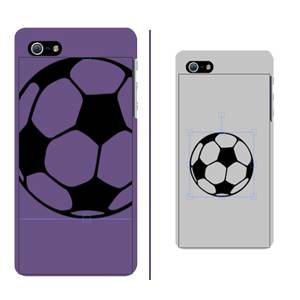
Preview

3. Preview

  • Front view
Undo, Redo Design

4. Undo, Redo Design

  • Undo, Redo your Design changes
Cut, copy, paste design

5. Cut, copy, paste design

  • Cut, copy, paste your created design.
Zoom In/Out

6. Zoom In/Out

  • Zoom In/Zoom Out to view created design on Mobile Skin properly.
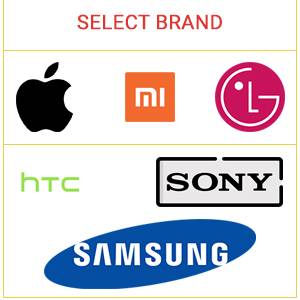
Select Brand of Mobile

7. Select Brand of Mobile

  • Select Brand of Mobile e.g. Apple, Sony, Samsung etc.
Download design

8. Download design

  • Download designed Mobile Skin on your Device
Share design on social

9. Share design on social

  • Share designed Mobile Skin on social Media.
Preview design

10. Preview design

  • Preview designed Mobile Skin before placing order.
Text Features

11. Text Features

  • Add multiple text items on Mobile Skin.
  • Decorate text with fonts, font color, boarder color, alignment, rotation, flip, opacity.
Upload image

12. Upload image

  • Upload image from social media, image gallery, desktop, through webcam
  • Upload image & design it by applying color, rotation, flip, opacity
Select theme

13. Select theme

  • Extensive selection of various themes.
Upload Clipart

14. Upload Clipart

  • Extensive selection of various clipart.
  • Upload clipart & design it by applying color, rotation, flip, opacity
Select Background

15. Select Background

  • Extensive selection of various background.
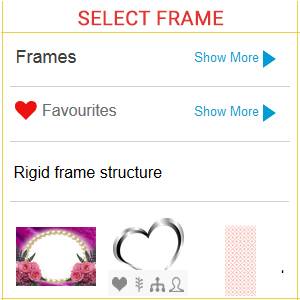
Select Frame

16. Select Frame

  • Extensive selection of various Frames for mobile.
Order

17. Order

  • Selected template, image, applied text, preview of Mobile Skin, Price, and Quantity.
Save design

18. Save design

  • Save Mobile Skin design to dashboard.

Implement Mobile Skin designer tool with any e-commerce platform of your choice or integrate it in your existing website.

Magento
Shopify
Presta
Virtuemart
PHP
.NET
Bigcommerce
Woocommerce

Solution partner of leading tailoring companies

Guide Document

Guide Document

Training video

Training video

Help desk Call

Help desk (Call)

E-mail

E-mail

Testimonials

FREQUENTLY ASKED QUESTIONS

Yes. The tool includes mobile-brand selection, with examples such as Apple, Sony, and Samsung, allowing the design workflow to be aligned with the selected device.
Customers can personalize mobile skins using text, images, themes, and clipart.
Yes. The tool provides a preview feature so customers can review their customized mobile skin before finalizing it.
Yes. The software supports multiple languages and currencies and can be configured for multi-store environments.
Yes. The tool can be integrated with a web-to-print storefront to allow customers to design and order personalized mobile skins online.